

Your channel, in every market
Upload the cut you already made. The dub keeps your delivery, and your on-screen text is translated in place.
Learn more →Voice, on-screen text, subtitles and the final render, in 29 languages and one tab. That includes the text baked into the picture.
One upload, three outputs. This is real output, so press play.
MrBeast reached more people by dubbing the videos he already had into other languages.
 YouTube · MrBeast
Localize the videos you already have.
Most new watch time comes from people who don’t speak your language.
He hired a dubbing team. You can do it from a browser tab.
Source: MrBeast, via Variety and Tubefilter (2023). Dubsmith is not affiliated with or endorsed by MrBeast.
This is the actual output for the clip above: transcript, on-screen text and subtitles. Scrub through it and switch languages before you spend anything.
You can edit all of this before anything renders: fix a line, change a voice, then approve.
Your channel, your training library or your clients' videos, in every language and ready to publish under your own name.
Upload the cut you already made. The dub keeps your delivery, and your on-screen text is translated in place.
Learn more →Training, onboarding and product demos are mostly text on screen. Slides, labels and UI callouts get translated along with the voice.
Learn more →Your linguists review every line and caption before anything renders. We do the production work, graphics included.
Learn more →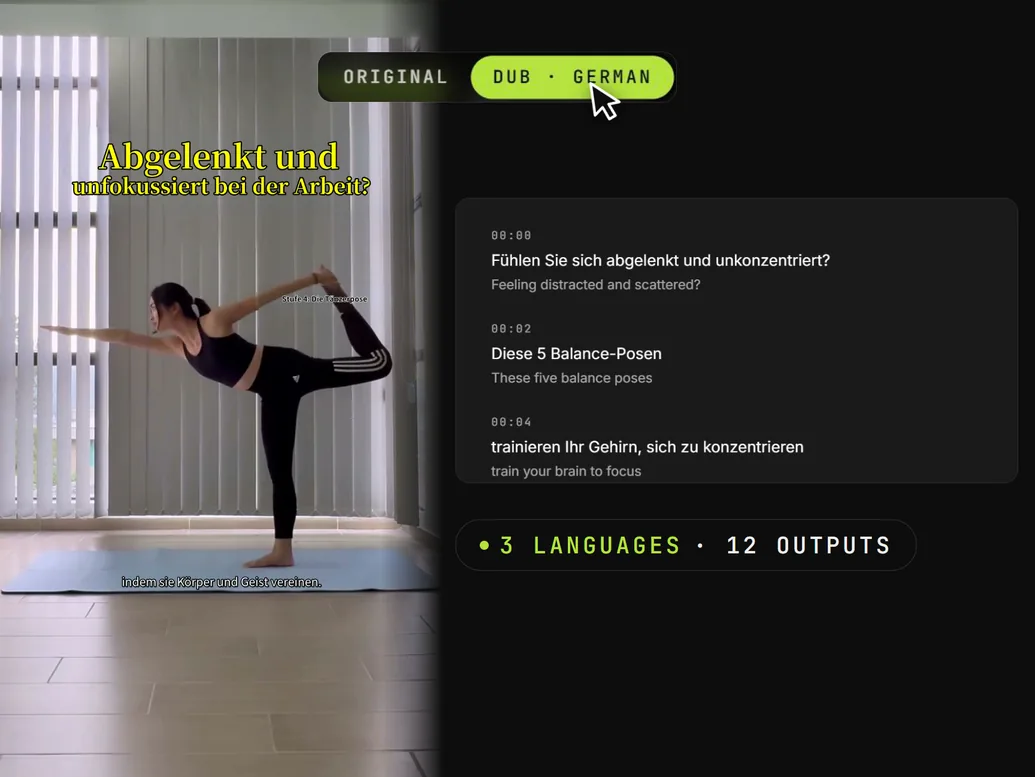
The whole video, dubbed. Each speaker gets their own voice, matched to the emotion of every line, and you can watch the progress as it runs.
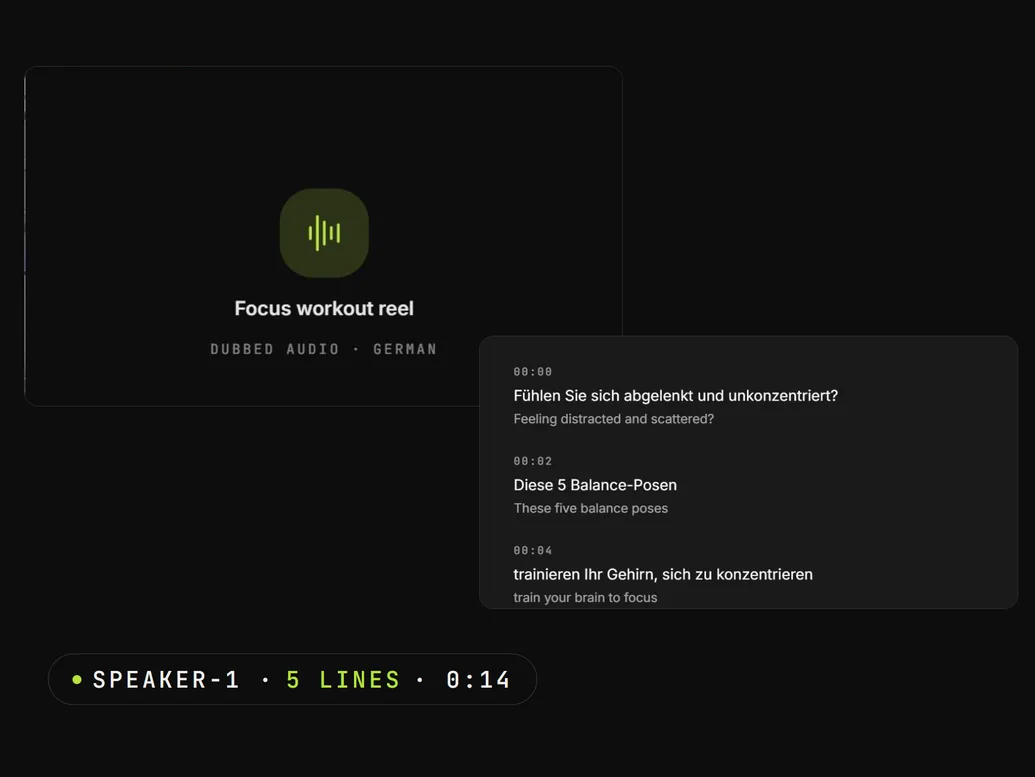
Dubbed audio for podcasts and voiceover. Every speaker is separated and keeps their own voice.
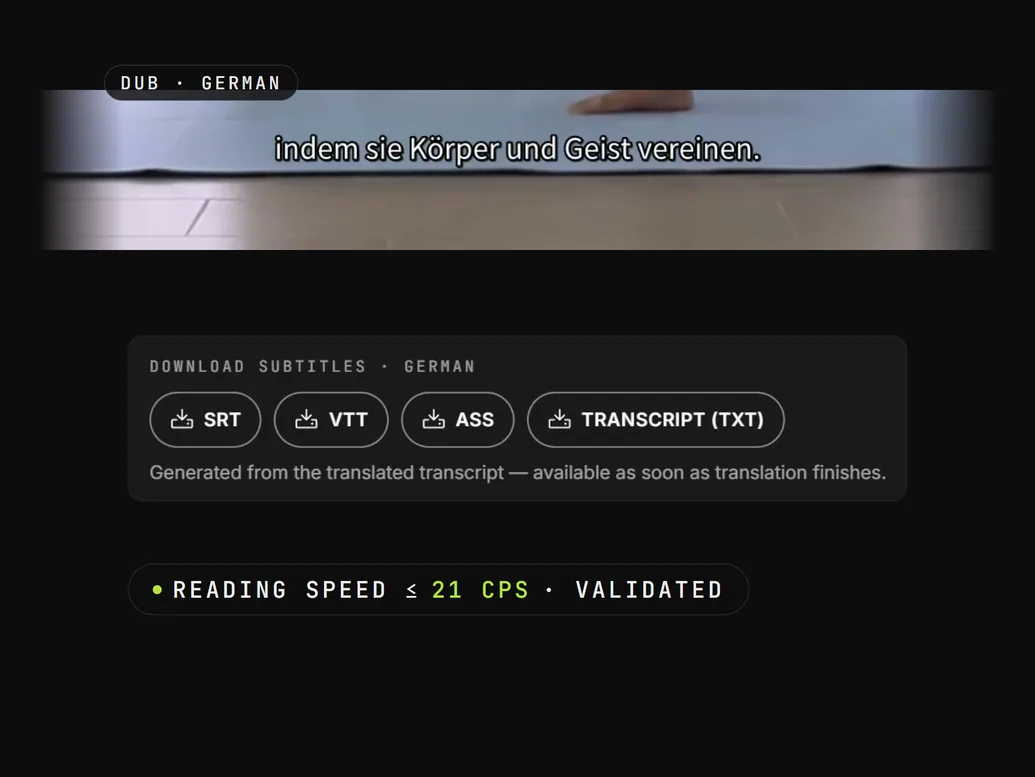
Translated subtitles timed to the original speech. Export SRT, VTT or styled ASS, or burn them into the video.
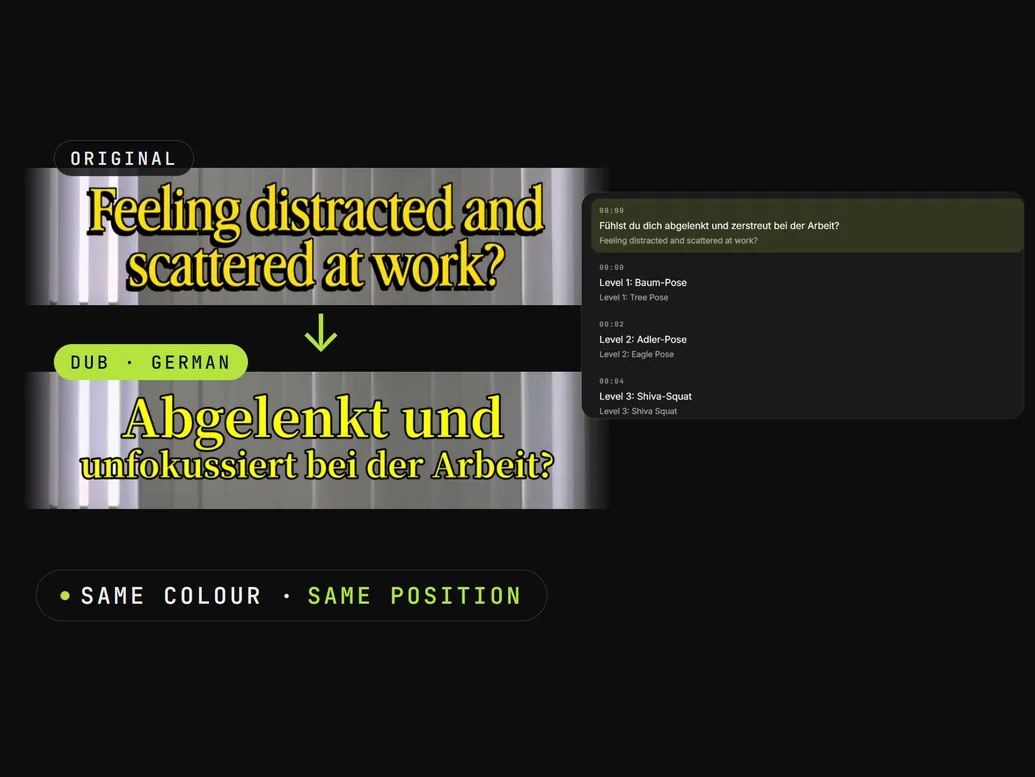
Headlines, captions and labels baked into the footage are erased and redrawn in the target language. Most dubbing tools leave them in English.
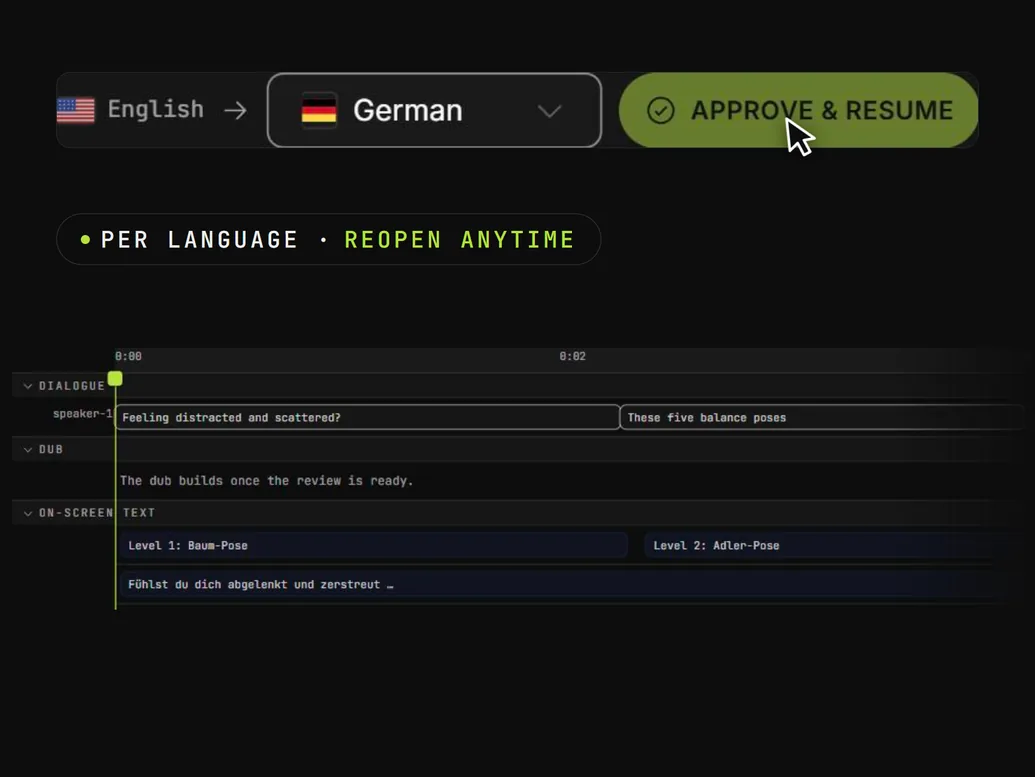
Fix any translation or on-screen word in each language, then approve. You can reopen it later, or let a language approve itself.
Each step shows its progress as it runs, so you always know where a job is.
Drop in a file. We pick out every speaker.
A timestamped transcript of every speaker.
Each line is translated and tagged with an emotion and intensity, so the dub knows when to stay calm and when to push.
Each speaker's voice is cloned from the source and reads the new script with the feeling of the original.
Titles, lower thirds and captions burned into the frame are erased and redrawn in the target language.
An MP4 at your source's resolution and aspect ratio, with SRT and VTT subtitle files.
Every plan bills by the second, in dollars.
Pay as you go or pick a plan. No sales call needed.